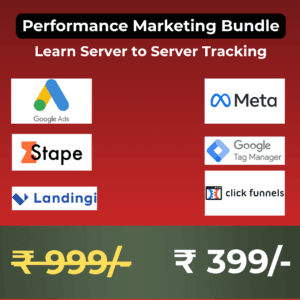
 Learn Server to Server Tracking
 Original price was: ₹999.00.₹399.00Current price is: ₹399.00.
Posted on GoogleTrustindex verifies that the original source of the review is Google. Acceptable performance. The team supported in terms of ideas for content also.
Owner's reply
Thank you Deepak for your kind words.Posted on GoogleTrustindex verifies that the original source of the review is Google. As a boutique e-commerce shop, we struggled with low traffic and conversations. Their team stepped in with a custom mix of SEO, targeted social media, and smart email automation that fixed everything.
Owner's reply
Thank you Sonam ! Glad we delivered what we promised.Posted on GoogleTrustindex verifies that the original source of the review is Google. Partnering with Kapability Digital for last six months has been a game-changer for our online presence. They completely revolutionized our digital strategy.
Owner's reply
Thank you Arun. We will continue delivering our top notch work.Posted on GoogleTrustindex verifies that the original source of the review is Google. Tapajyoti Sir’s teaching style is unmatched. He turns dense PPC theory into high-impact, real-world strategies that make perfect sense.
Owner's reply
Thank you Tamu. It's encouraging to hear I have made a difference.Posted on GoogleTrustindex verifies that the original source of the review is Google. Very Good Service.
Owner's reply
Thank you Dhanraj !Posted on GoogleTrustindex verifies that the original source of the review is Google. I leant from here. It’s turned my career so well. Highly recommended.
Owner's reply
Thank you Mousumi for your kind words. It really helps us understand we are on the right track.Posted on GoogleTrustindex verifies that the original source of the review is Google. Tapajyoti Sir is an exceptional PPC instructor who successfully bridges the gap between complex theory and actionable, real-world strategy.
Owner's reply
Thank you Khirod for your valuable review!Posted on GoogleTrustindex verifies that the original source of the review is Google. Pioneer in providing solutions!
Owner's reply
Thank you Deepan! We hope to continue coming up with solutions for a long time.Verified by TrustindexTrustindex verified badge is the Universal Symbol of Trust. Only the greatest companies can get the verified badge who has a review score above 4.5, based on customer reviews over the past 12 months. Read more
Why browser pixels fail after iOS14
Difference between pixel and server events
How CAPI helps Meta and Google track more conversions
Quick overview of GTM Server + Stape
Create your Stape account (free tier walkthrough)
Connect your domain and SSL
Link GTM Web and GTM Server containers
Understand event flow from site → server → ad platform
Add Meta Pixel in GTM
Configure CAPI with your server container
Send PageView, ViewContent, AddToCart, and Purchase events
How to verify using Meta Events Manager
Deduplication and testing checklist
Quick overview of Enhanced Conversions
Sending first-party data (email, phone) from forms or checkout
Testing in Tag Assistant
What to monitor in Conversion Diagnostics
Fixing duplicate or missing events
Reading network calls and payloads
Checking server logs in Stape
Maintaining accuracy post-setup
Server-to-Server Tracking Course – FAQ Summary
Covers full setup of Facebook CAPI, Google Enhanced Conversions, and GA4 using Stape and GTM.
Explains how S2S tracking works and why it improves attribution accuracy.
Includes step-by-step domain and subdomain configuration.
Teaches how to send server events via GTM Server Container.
Demonstrates testing using Chrome extensions and Meta Test Events Tool.
Covers deduplication and event ID setup to prevent double-counting.
Shows how to reduce data loss after iOS14 with S2S.
Includes custom event configuration and advanced purchase event mapping.
Explains event prioritization under Aggregated Event Measurement.
Discusses integration with Google Ads, TikTok, and other platforms.
Includes troubleshooting guide for event mismatch or low match rate.
Ends with performance optimization and reporting setup.
Designed for SMB owners and digital marketers, who want to set up Server to Server Tracking —without hiring a team or spending huge budgets.
You’re covered by our 7-day money-back guarantee. If you do not get access to the course, simply send an email to tapajyoti77@gmail.com for a full refund—no questions asked.
No. Beginners can start from zero, while seasoned marketers will find advanced strategies. The trainings are structured for all skill levels.
You can run campaigns anywhere Google and Meta operate. Trainings use European , US and India studies for illustration.
We could give you a shiny certificate… but we’d rather give you results. Certificates don’t run campaigns or bring in leads—you do. Our training is about doing, not just decorating your wall.
Absolutely. Here’s the LinkedIn profile — feel free to reach out. Just don’t ask about his favorite coffee mug.
Learn Server to Server Tracking